


FOX Nation: Celebrate America
3.98.96K Reviews
App Specs
- Version
- Varies with Device
- Updated On
- License
- Free
- Downloads
- 1,000,000+
- Developer
- FOX News Network, LLC
- Categories
- News & Magazines
- Platform
- Android, iOS
Screenshots




 Analysis by AppCompare
The first few times I opened FOX Nation: Celebrate America, the appeal was easy to understand: it gives viewers a dedicated place to browse entertainment tied to American history, culture, and public life. I spent time exploring its mix of television programs, documentaries, films, and other video content, and found it most inviting when I already had a specific curiosity in mind. It is less like opening a general video library and more like stepping into a collection with a clear point of view.
Why the first week can be appealing
For a new viewer, the range is part of the fun. One session can lead toward a historical subject, while another can be a lighter watch about American life. That variety makes the app easy to sample in short bursts: I can browse when I have a few minutes, then settle into a longer program when something catches my eye. The appeal is strongest if the themes already interest you, rather than if you are simply searching for any show to fill the evening.
A practical way to start is to choose one subject you genuinely want to explore and follow that thread instead of trying to watch everything. For example, I might begin with a documentary, then see whether a related series or a different take on the same era holds my attention. That makes browsing feel purposeful and helps me decide whether the library offers enough variety for my tastes. The app is particularly suited to viewers who enjoy recognizable hosts and a distinctly patriotic framing; people looking for a broad, viewpoint-neutral overview of every topic may prefer to compare it with other sources.
What keeps it useful after the novelty
The more important question is whether I would return once the first wave of curiosity passes. I think the answer depends on whether its subjects fit naturally into your routine. If you regularly watch documentaries or discussion-led programs about the United States, a focused service can be easier to revisit than a general streaming app where those titles are scattered among unrelated entertainment. If you only want an occasional history film, however, a rotating subscription or free library elsewhere may make more sense.
I would treat it as a destination for planned viewing rather than something that automatically becomes part of a daily news habit. The app is in the News & Magazines category, but its emphasis here is video entertainment and programs, not simply a feed of headlines. That distinction matters: people who want quick, constantly updated breaking-news coverage should use a news service designed around live reporting and articles, while FOX Nation is better approached as a place to choose a program and give it some attention.
How it fits into an ordinary day
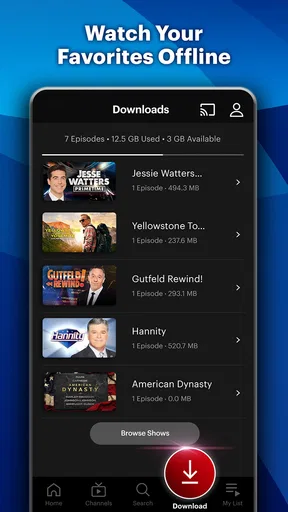
Imagine having a quiet evening after work and wanting something more focused than random clips. I could open the app, browse for a documentary connected to a subject I have been discussing with family, and watch a portion before deciding whether to continue later. On a commute or while traveling, offline viewing can be useful if I prepare in advance by downloading a show while connected. That small bit of planning is the difference between a feature that genuinely helps and one I remember only after the signal disappears.
Offline access also changes how I would manage a viewing queue: I would save just the program I expect to watch, rather than downloading a pile of choices that may never get opened. It is a simple habit, but it keeps preparation manageable and avoids turning browsing into another chore. Anyone who relies on streaming while out should check that a download is ready before leaving, instead of assuming a title will be available without a connection.
Worth Reading Before You Choose

EA SPORTS FC Mobile 26 Is a Bigger Football Game, but It Takes Time

Flipboard Shows What News Apps Must Do Beyond the Feed

Switching to Android Auto Means Rethinking Your Driving Routine

Google Calendar Makes a Crowded Week Easier to Manage

Ludo King Makes the Most of the Minutes Between Plans

Baby Panda World Brings Quick Play to Modern Phones, but Its Game Library Feels Busy
The All-American Content Buffet
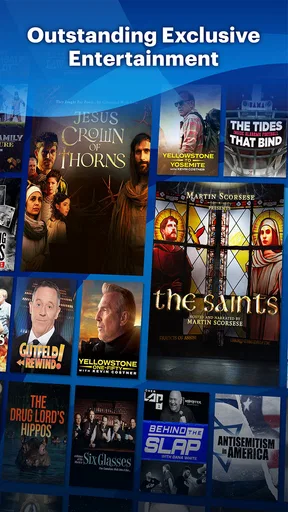
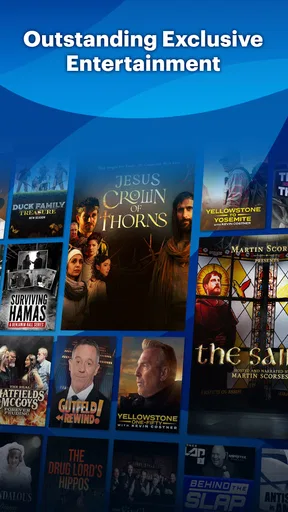
First things first, let’s talk content. FOX Nation isn’t just about the news; it’s a full-blown streaming service aimed at celebrating everything America. From documentaries to original series, the app brings you a mix of shows that focus on American values, history, and national pride.
When I started browsing, I found myself drawn to the variety of original series available. Shows that delve into historical events, spotlight American heroes, and even some lighter content that just celebrates the everyday American life. It’s like a buffet of content, serving up something for everyone who’s got a soft spot for the red, white, and blue.
The User Experience
Now, let’s chat about the user experience. Navigating through the app was pretty smooth for me. The layout is intuitive, which means you won’t be scratching your head trying to find your way around. Everything is neatly categorized, so whether you’re in the mood for a deep dive into history or just a quick entertaining watch, you’re covered.
One thing I really appreciated was the option to download content for offline viewing. This feature is a lifesaver for those long commutes or when you’re stuck somewhere without Wi-Fi. Just download your favorite shows and enjoy them wherever you are.
Subscription and Access
The app is free to install, but access to its full viewing experience involves paid in-app purchases. I would check the available options carefully before committing, particularly if I am not sure how often I will watch. The listed purchase range runs from about nine dollars to just over seventy-one dollars per item, so the free download should not be mistaken for an entirely free streaming library. FOX News Network, LLC develops the app, which has a 3.9 average from around nineteen thousand ratings and more than a million installs. Those figures suggest an established audience, but they cannot tell me whether its programming matches my own preferences.
Once you’re subscribed, you have access to a plethora of videos and shows. It’s all ad-free, so you can binge without interruptions. Plus, if you’re already a fan of FOX News, you’ll find a lot of familiar faces and voices, which adds a nice touch of familiarity.
Who is likely to stick with it?
I would recommend giving it a closer look if you already seek out American history documentaries, enjoy programs with familiar FOX News personalities, or want entertainment centered on national identity. The Teen age rating is also useful context for households deciding whether the app suits younger viewers; I would still choose programs together when a particular subject or presentation style matters. For someone who prefers international cinema, scripted drama, or a wide mix of unrelated genres, a mainstream general-purpose streaming service is likely to earn more regular use.
Compared with a conventional news app, the key trade-off is depth of viewing over speed of scanning. A headlines feed is better when I need a quick update between tasks; this app makes more sense when I want to spend time with a program. Compared with a broad video platform, its narrower focus can save browsing time if I know what kind of material I want, but it also means the selection may feel limited once I have worked through the subjects that interest me. I would not choose it as my only source for understanding a complicated event: pairing a program with reporting and perspectives from other outlets is a more balanced way to learn.
Small habits that make browsing easier
To keep the service from becoming a subscription I forget about, I would give it a simple trial routine: pick a show before opening the app, watch enough to judge its tone, and note whether I want to return to that kind of content next week. That is more useful than browsing endlessly and mistaking a large-looking catalog for lasting value. If several visits end with nothing selected, that is a fair sign the service may not fit my habits, even if its subject matter sounds appealing in theory.
I would also separate “I agree with this program” from “this program helped me understand the subject.” A strong editorial perspective can make a show engaging, but it is worth paying attention to how it presents evidence and which questions it leaves open. For a school project, a family conversation, or a subject with competing interpretations, I would use the app as one viewing source and then consult other material. That approach preserves the entertainment value without treating one service as a complete reference library.
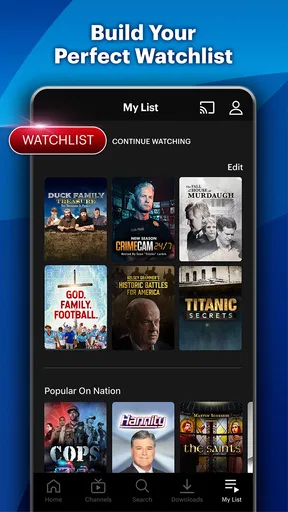
Another useful trade-off is how much time I want to spend choosing. A focused catalog can be refreshing when I arrive with a theme in mind, but it is not automatically ideal for spontaneous viewing. I would save a short list of programs that genuinely interest me and return to it when I have time, rather than opening the app every night expecting an endless stream of unrelated options. That small change turns a broad browse into a deliberate watch and makes it easier to judge whether the subscription keeps earning its place.
What may become tiring
The same clear identity that helps the app stand out can also narrow its appeal. If I want a range of viewpoints in one place, or prefer programming that does not repeatedly return to patriotic themes, I may find the overall emphasis tiring over time. Familiar presenters are a plus for loyal viewers, but they will not be a draw for everyone. And because the service is centered on longer video choices rather than quick headline checks, it may feel like the wrong tool when I only have a spare minute.
There is also a practical commitment behind the free install. Since in-app purchases cover a broad price range, I would review what an option includes and how it suits my expected viewing before paying. A casual viewer who watches one documentary now and then should compare the cost with other ways of finding that kind of program. The value is easier to justify when I return often enough to use the library, rather than paying simply because the first few titles looked interesting.
Final Thoughts
In a nutshell, FOX Nation: Celebrate America is a compelling app for anyone with a penchant for American culture and history. It’s packed with content that’s both entertaining and informative, making it perfect for history buffs, patriots, or just anyone looking to learn more about the United States.
So, if you’re ready to embark on a journey through America’s rich tapestry, give FOX Nation a try. Who knows? You might just discover a new favorite show or two along the way.
My long-term verdict is that it earns space on a device when its particular mix of subjects is something I actively choose, not merely something I admire in passing. The app has a Teen content rating, and its free installation makes it easy to explore, but recurring access is a separate spending decision. I would start with a clear viewing goal, use offline downloads only when they solve a real travel or connectivity problem, and reassess whether I am returning for fresh programs. If I do, the focused library can become a satisfying regular stop; if I do not, there is little reason to keep paying out of habit.
Pros
- Diverse content library with exclusive shows.
- User-friendly interface and easy navigation.
- High-quality video streaming with minimal buffering.
- Available on multiple devices
- enhancing accessibility.
- Offers offline download for on-the-go viewing.
Cons
- Subscription required for full access.
- Limited availability outside the U.S.
- No live news streaming option available.
- Some content may be exclusive to other platforms.
- Ads present even with subscription.
FAQs for FOX Nation: Celebrate America
What content is available on FOX Nation: Celebrate America?
FOX Nation: Celebrate America offers a wide variety of content, including exclusive shows, documentaries, and specials that celebrate American culture and history. Subscribers can also access daily news updates, opinion pieces, and original series featuring popular FOX News personalities. The app aims to provide a unique perspective on American life and values.
Is FOX Nation: Celebrate America available on both Android and iOS devices?
Yes, FOX Nation: Celebrate America is available for download on both Android and iOS devices. This ensures that users can enjoy the app's content across a range of smartphones and tablets, providing flexibility and convenience for subscribers who wish to access the service on the go.
Are there any subscription fees for using FOX Nation: Celebrate America?
Yes, FOX Nation: Celebrate America requires a subscription to access its full range of content. The app offers different subscription plans, including monthly and annual options. Users can choose the plan that best fits their needs, and a free trial is often available to allow potential subscribers to explore the content before committing.
Can I watch FOX Nation: Celebrate America content offline?
FOX Nation: Celebrate America allows users to download select content for offline viewing. This feature is ideal for subscribers who want to enjoy shows and documentaries without needing an active internet connection, making it convenient for travel or areas with limited connectivity.
Is FOX Nation: Celebrate America suitable for all age groups?
While FOX Nation: Celebrate America features a broad range of content, not all shows may be suitable for younger viewers. The app includes news commentary and political discussions that might contain mature themes. Parents should review the content beforehand to ensure it's appropriate for their children.


